
Ways to copy text from an image
Today there are two convenient options: built-in Android and iPhone features, or a Telegram bot for extracting text from images.
Both methods let you extract text from images, but they differ in features and use cases.
Method 1. Use the built-in features on Android and iPhone
Most modern smartphones can recognize text directly in images.
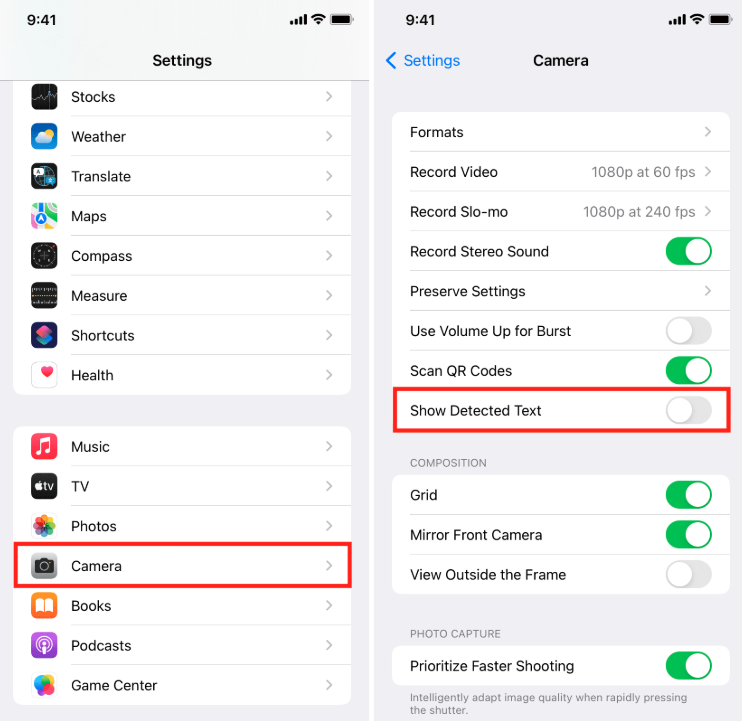
On iPhone
- Open the photo.
- Tap the Live Text icon if it appears.
- Select the text you need.
- Tap Copy.
On Android
On most devices, the feature is available through Google Photos or Google Lens.
- Open the image.
- Tap Google Lens.
- Select the text.
- Copy it.
If you only need to quickly copy text from one photo, the built-in features on your phone are usually enough.
Method 2. Use a Telegram bot
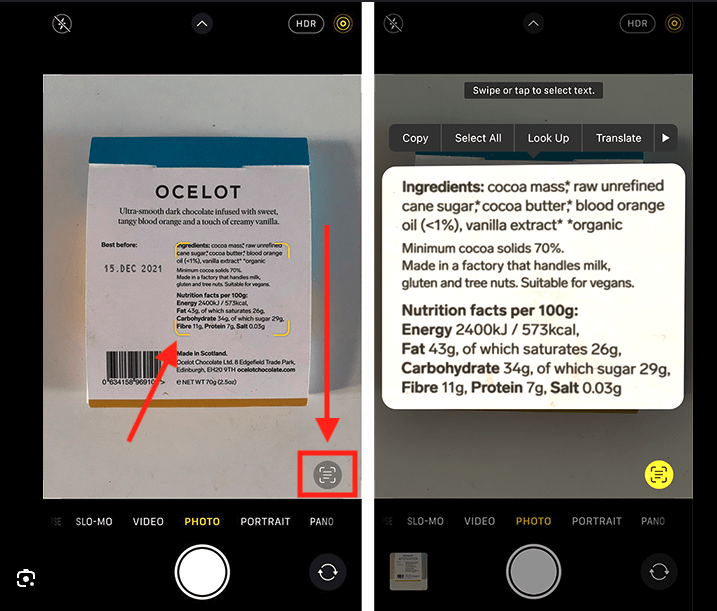
If you need to extract text from several images at once, or simply want to do it faster, you can use a Telegram bot.
All you need to do is:
- Open the bot.
- Send a photo, screenshot, or document.
- Receive the extracted text within a few seconds.
You can immediately copy the result and use it in ChatGPT, Claude, Gemini, Google Docs, Notion, or any other application.
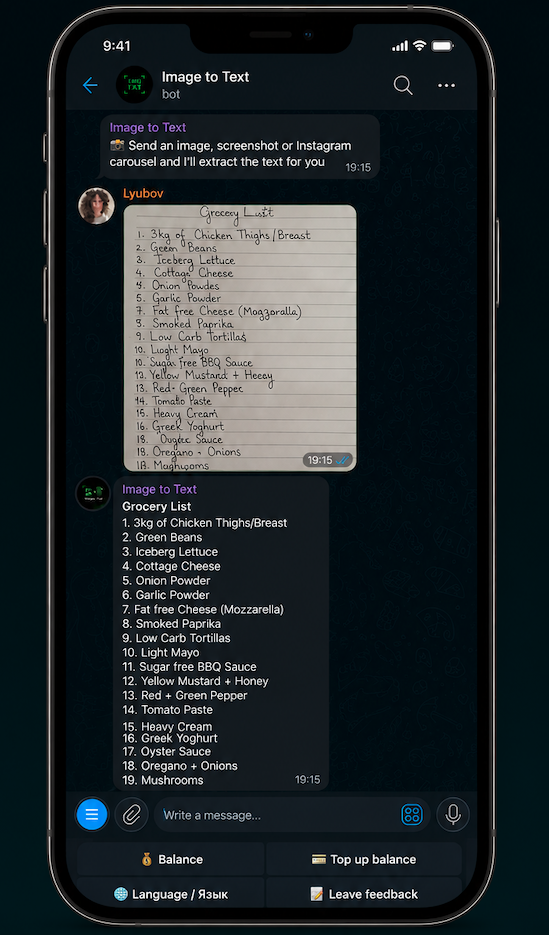
The bot supports photos, screenshots, documents, presentations, multiple images at once, and Instagram carousels.
Open the botComparison of the two methods
| Feature | Android / iPhone | Telegram bot |
|---|---|---|
| Copy text from an image | ✅ | ✅ |
| Does not require installing a separate app | ✅ | ✅, if Telegram is already installed |
| No need to save the image to your phone gallery first | ❌ | ✅ |
| Process multiple images at once | ❌ | ✅ |
| Recognize handwritten text | ❌ | ✅ |
| Support Instagram carousels | ❌ | ✅ |
| Receive all extracted text in one message | ❌ | ✅ |
| Send an image directly from Telegram using Share | ❌ | ✅ |
| Send an image directly from Instagram using Share | ❌ | ✅ |
When is a Telegram bot more convenient than built-in features?
Built-in features work well when the image is already saved in your phone gallery.
However, the images you need are often located in Telegram, Instagram, X, WhatsApp, Facebook, or a browser.
When using built-in text recognition, you usually need to:
- Save the image to your gallery.
- Open the Photos app.
- Start text recognition.
- Copy the result.
With a Telegram bot, you can skip these steps. Simply forward the image or use the Share button to send it directly to the bot and receive the extracted text.
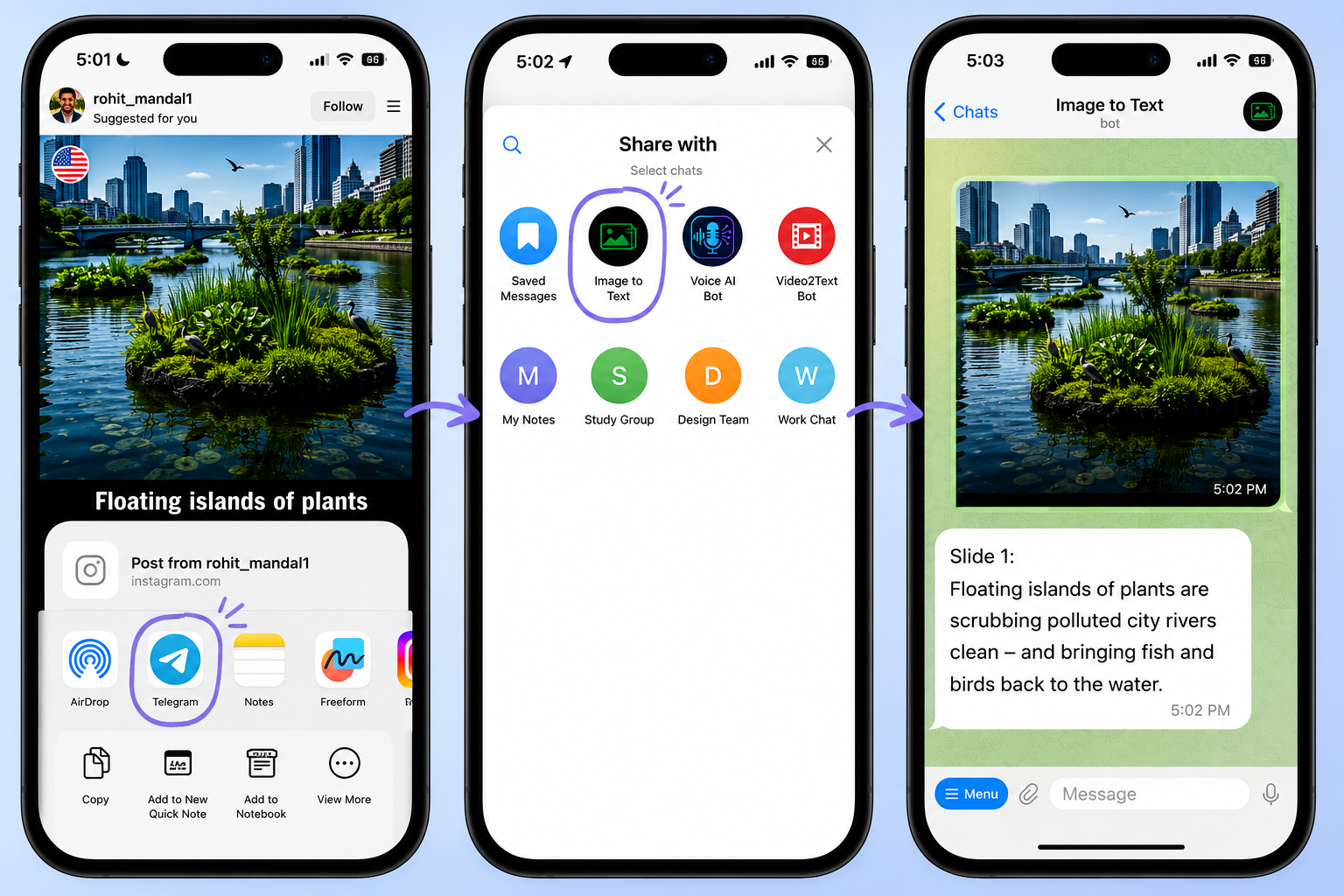
This workflow is especially convenient if you regularly save useful posts, book pages, or screenshots for later use.
Which option should you choose?
If you only need to copy text from one photo, the built-in features on your smartphone are usually enough.
If you regularly work with screenshots, documents, books, or images from other apps, a Telegram bot can help you complete the task faster and with fewer steps.
Try it yourself
Your first 2 extractions are free.
Open the Telegram bot, send an image, and receive the extracted text within a few seconds.
Try the bot on your own screenshots and see which workflow feels faster.
Open Telegram bot