Get Text Directly in Telegram
No websites or extra steps. Send an image in Telegram and get the text back in the same chat.
Use our Telegram image to text converter to extract text from screenshots, photos, scanned documents, book pages, and Instagram carousels. Send an image or link and get clean, editable text in seconds — ready to copy, translate, summarize, or use with ChatGPT, Claude, Gemini, or your notes app.
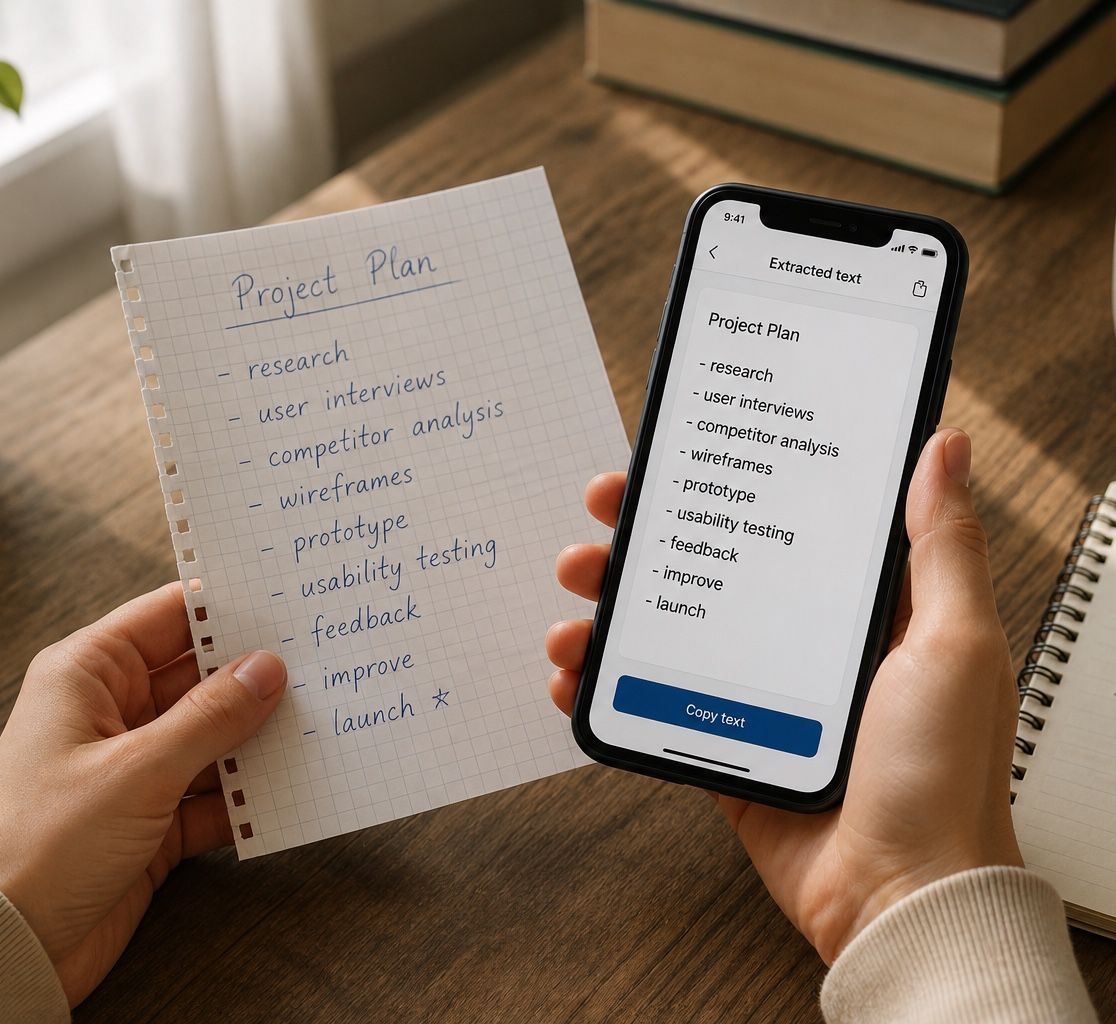
Real chats with the bot: what was sent and the text that came back.
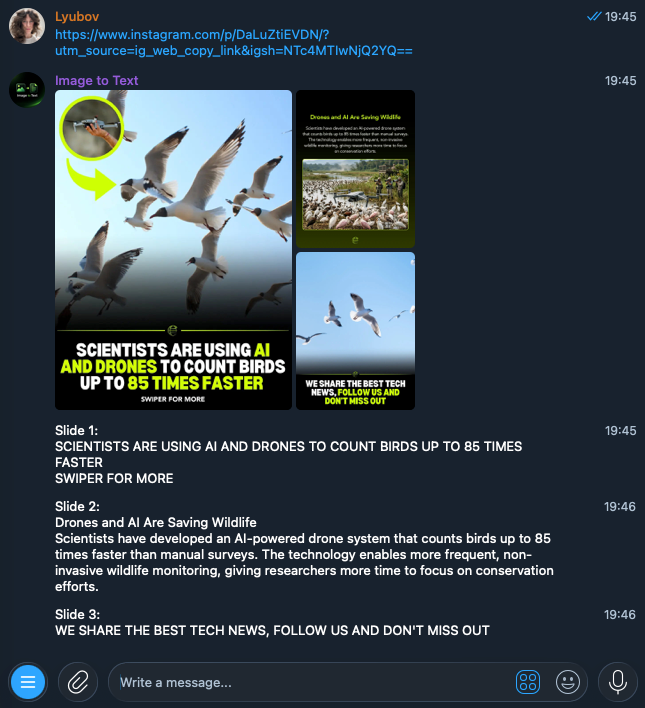
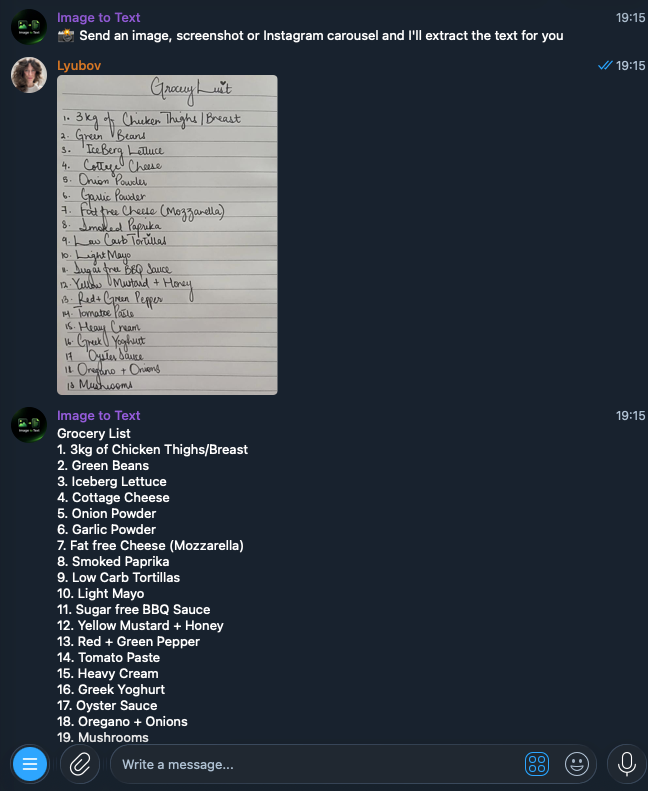
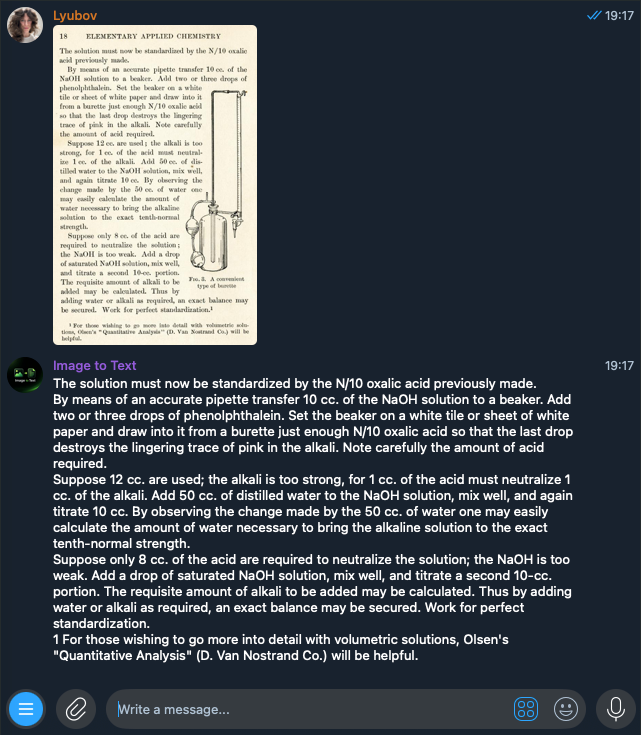
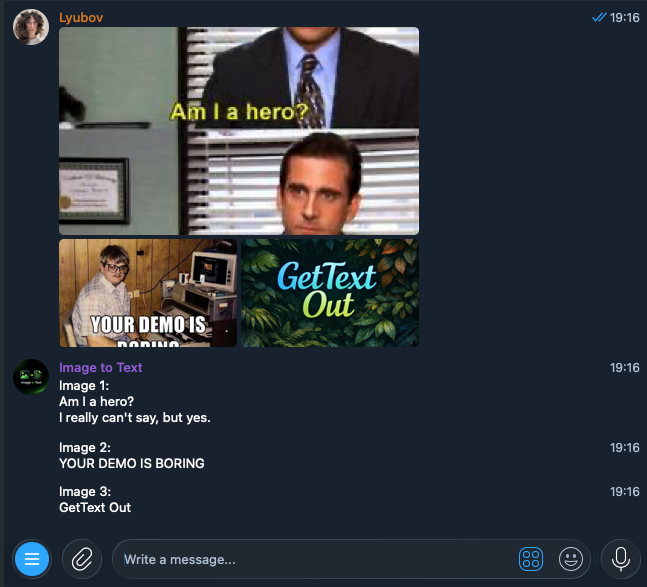
Photos, screenshots, scans, and carousels become text right in Telegram, in the same chat.
Send an Instagram carousel link and get text from every image in the post.
Read on the blogSend an image to the bot and receive clean, editable text in just a few seconds.
Read on the blogTurn photos, screenshots, and scanned documents into text you can copy and edit.
Read on the blogNo websites or extra steps. Send an image in Telegram and get the text back in the same chat.
Extract text from book pages, magazines, invoices, receipts, and printed documents.
Read on the blogUpload several images in one message and receive the extracted text together.
Copy, translate, summarize, or use the text with ChatGPT, Claude, Gemini, or your notes app.
The bot works directly in Telegram, so there is no need to install an app or software.
Read on the blogRecognizes text in 100+ languages including English, Spanish, Chinese, Arabic, and more.
Three steps, all in one chat with the bot.
Upload a photo, screenshot, scanned document, or paste an Instagram carousel link.
Get clean, editable text extracted from your image in just a few seconds.
Copy, translate, edit, or paste the extracted text into ChatGPT, Claude, Gemini, your notes, documents, or any other app.
For anyone whose text is stuck in images: screenshots, notes, posts, and scans.
Convert screenshots to editable text directly in Telegram — no websites or manual typing required.
Extract text from social media posts, ads, screenshots, and images to analyze headlines, hooks, and content ideas faster.
Turn book pages, articles, magazines, and printed documents into editable text instead of typing everything manually.
Convert lecture slides, textbook pages, and presentations into editable text for your notes in seconds.
Extract text from documents, photos, presentations, and screenshots without switching between apps or retyping anything.
Paste an Instagram carousel link into the bot and extract all the text in Telegram within seconds.
Convert scanned documents into editable text without installing OCR software or uploading files to multiple websites.
Process dozens of saved screenshots in one message and turn them into searchable, editable notes.
Anything with text on it. Items with an arrow have a guide on the blog.
Start free, then buy a one-off pack when you need more. No subscription.
€0to start
€2.99for 30 recognitions
1 recognition = one request: a whole Instagram carousel or a single message with images, however many it contains. Payment is handled in Telegram via Tribute.
Didn't find an answer? Write to info@laviolab.com.
An image to text converter is a tool that extracts text from photos, screenshots, scanned documents, and other images so you can copy, edit, translate, or save the text.
Open the Telegram bot, send a photo, screenshot, or scanned document, and the bot will return editable text in a few seconds.
Yes. Send a photo to the bot and it will convert the image into clean text you can copy or reuse.
Yes. Upload a screenshot and the bot will extract the text and return it as clean, editable text.
The bot works with screenshots, photos, scanned documents, book pages, PDFs, presentations, receipts, tables, checklists, Instagram carousels, posters, flyers.
Yes. Upload an image of a PDF, and the bot will extract the text into an editable format.
No. If you already have Telegram, you're ready to use the bot.
No registration is required. Just open the bot and send your first image.
Your first 5 text extractions are free. After that, a pack of 30 recognitions costs €2.99, paid directly in Telegram using Tribute.
Most images are processed in just a few seconds.
Accuracy depends far more on the image than on the text itself. Printed text in a sharp, evenly lit photo comes back essentially as written, including tables and multi-column layouts. Photos taken at an angle, screenshots, and pages with mixed formatting are handled reliably too, because the bot reads the layout of the page rather than one character at a time.
Glare across the text, heavy shadow, motion blur, very low resolution, and handwriting that is genuinely hard for a person to read. The rule of thumb: if you can read the text yourself when you zoom into the photo, the bot will usually get it. If you cannot, retake the shot with more even light and the page filling more of the frame.
Our guides go through these cases in detail — read the guides.
Yes. You can upload multiple images in a single message, and the bot will extract text from all of them.
Absolutely. Copy the extracted text and paste it into ChatGPT, Claude, Gemini, or any other AI assistant.
The bot recognizes text in 100+ languages. That includes Latin-script languages such as English, Spanish, French, German, Portuguese, Italian, Polish, and Turkish; Cyrillic ones such as Russian and Ukrainian; and non-Latin scripts including Chinese, Japanese, Korean, Arabic, Hebrew, Hindi, Greek, and Thai. You can also send an image containing several languages at once and the bot will extract all of them.
Yes. Simply send an Instagram carousel link, and the bot will extract text from every image in the post.
Your images are used only to process your request. They are not stored after processing is complete.
Try it free
Send it to the bot and the text comes back in the same chat within seconds. The first 5 extractions are free, no registration needed.
Open in Telegram